Download

An app for synagogue gabbaim

Kibudim, queues and dates in one place

Gabbai keeps a queue for every kibud and follows yahrzeits by the Hebrew calendar. Plan Shabbat during the week — on your iPhone or on a computer.

  • Free for up to 25 people
  • No account needed to start
  • Hebrew, English, Russian, Spanish, German
Community
Today

How it fits into a normal week

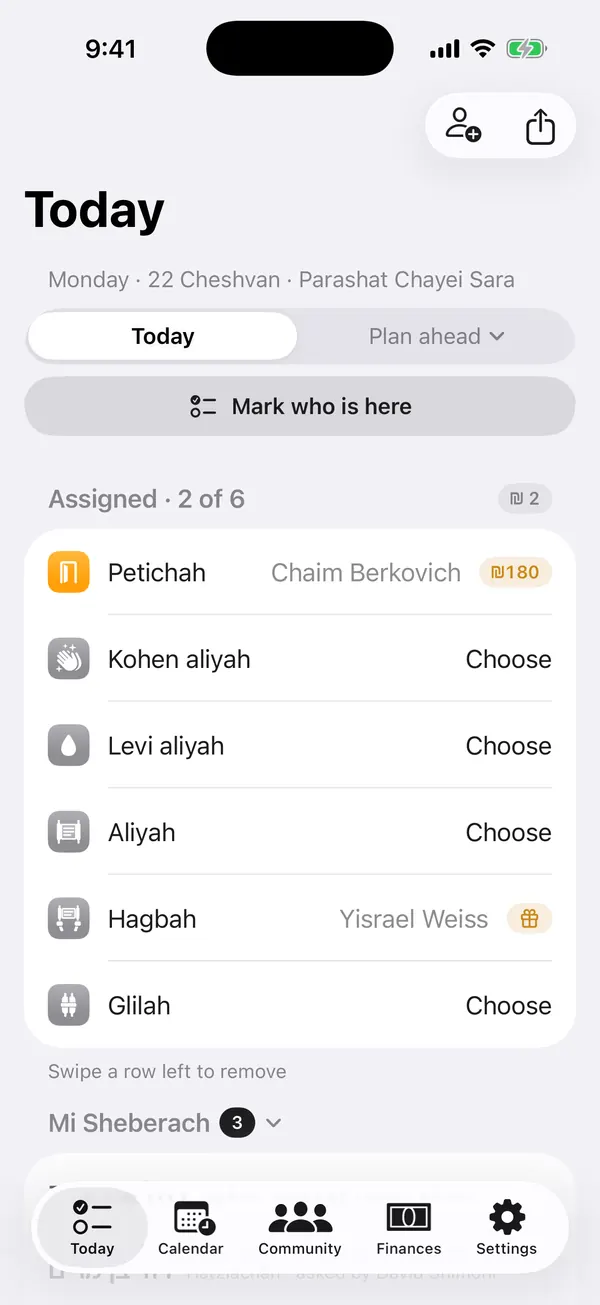
Who was called up, whose yahrzeit is coming, who is a guest — Gabbai keeps it in one place, so the plan is ready before the reading.

  • At a weekday minyan — mark who is here and give out the aliyot in a few taps.
  • During the week — plan Shabbat; the app suggests who is next for each kibud.
  • Before Shabbat — send the plan to the chazan as an image or text, or print it.
  • After the reading — the history and the queues update by themselves.

The queues and the history carry over from week to week.

What Gabbai does

The main ways the app helps in a gabbai's work.

A queue for every kibud

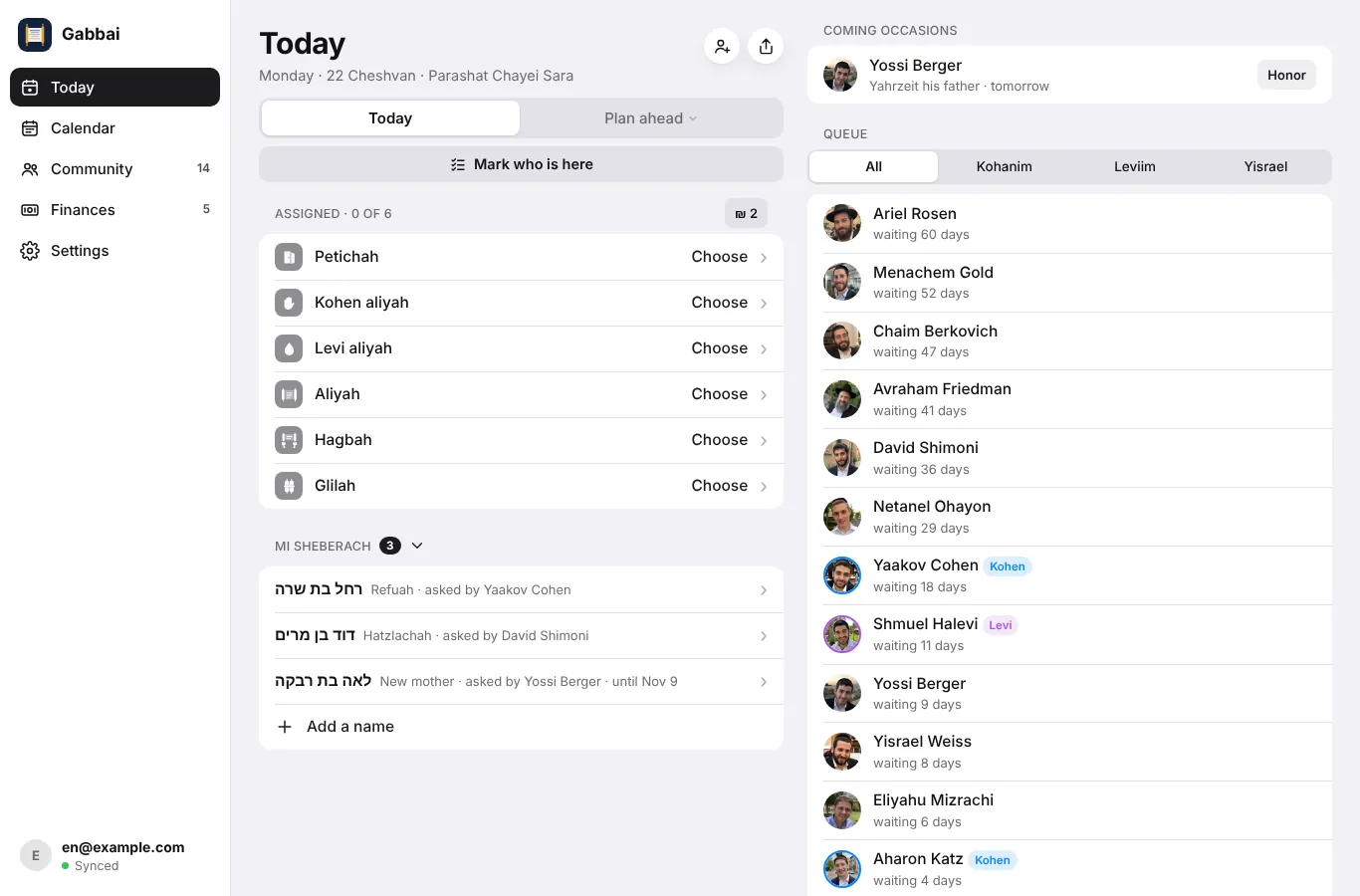
Petichah, Kohen, Levi, the aliyot, Maftir, Hagbah and Glilah each have their own queue. You can see who has waited longest, so the turns stay fair.

Yahrzeits and simchas

The Hebrew dates of your community are kept in the app. Before the day, Gabbai reminds you and suggests a fitting kibud.

Prepared in advance

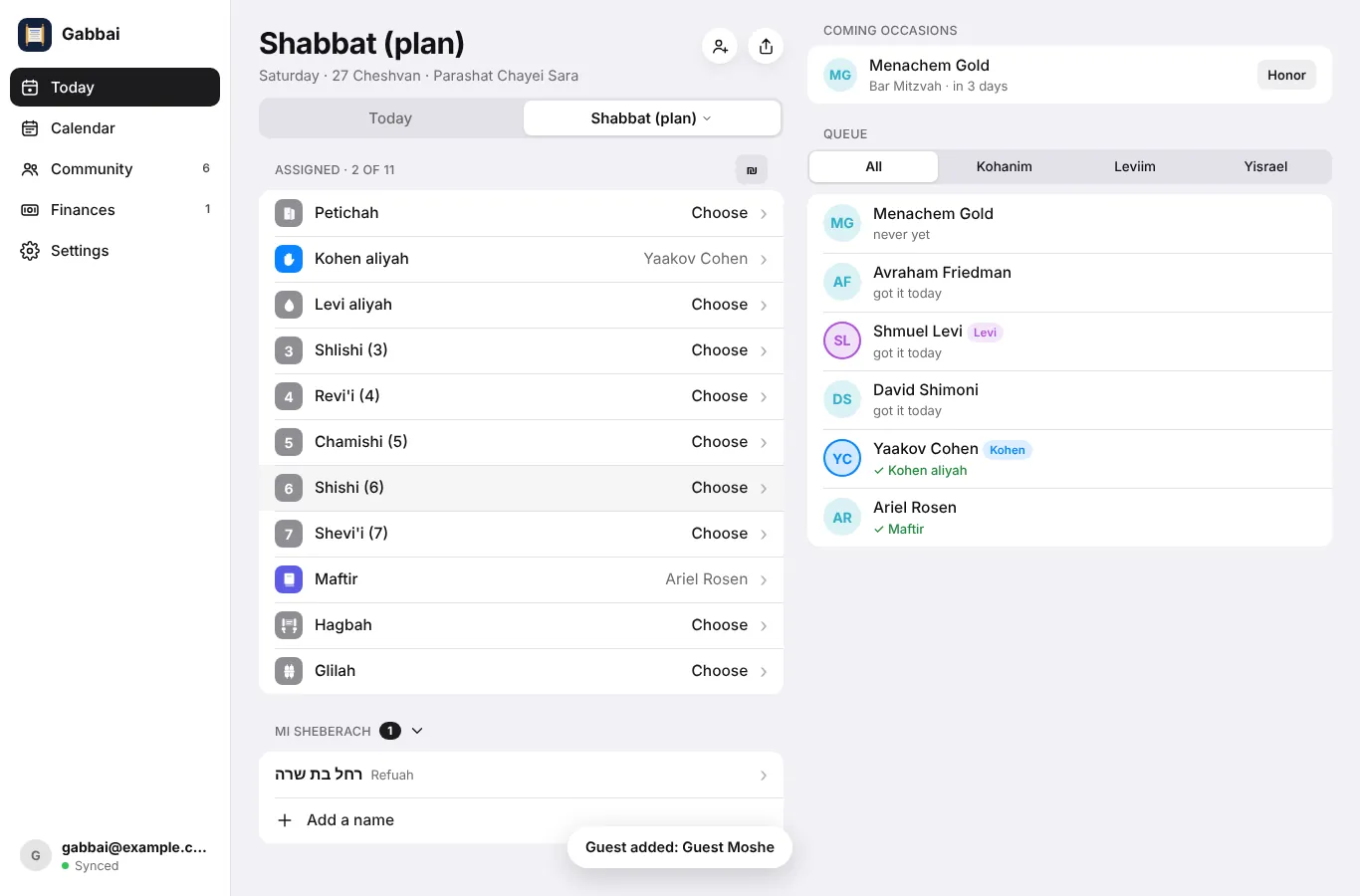
Shabbat, Rosh Chodesh or a fast day can be prepared during the week. On Shabbat you simply follow the plan.

The whole community in one place

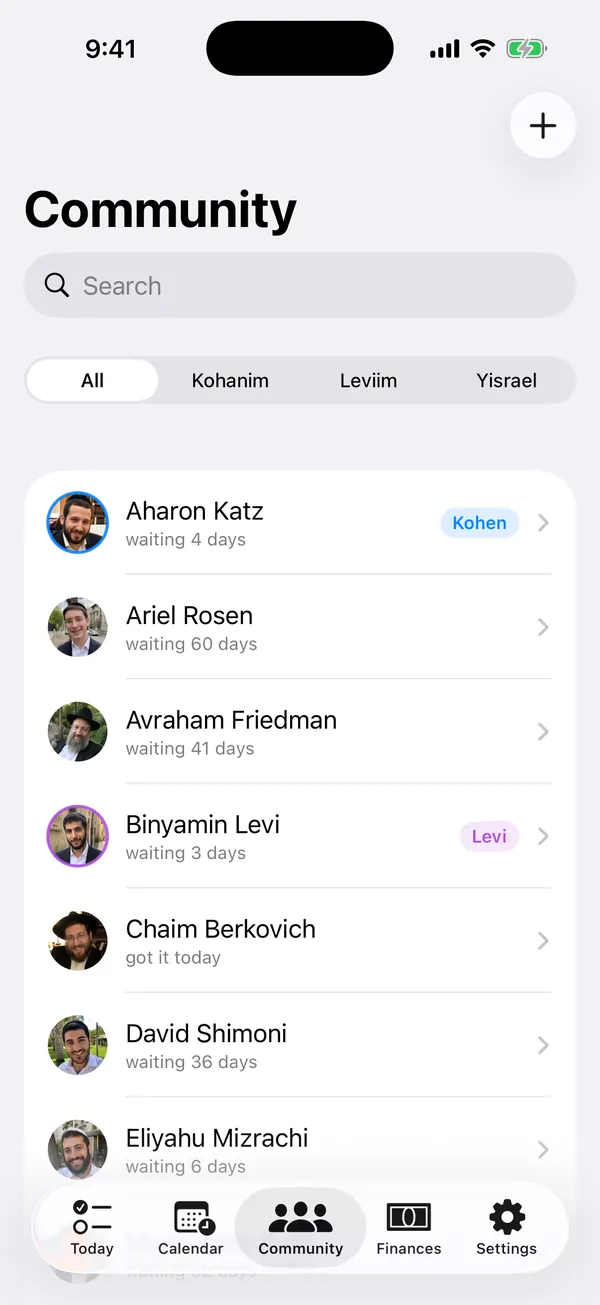
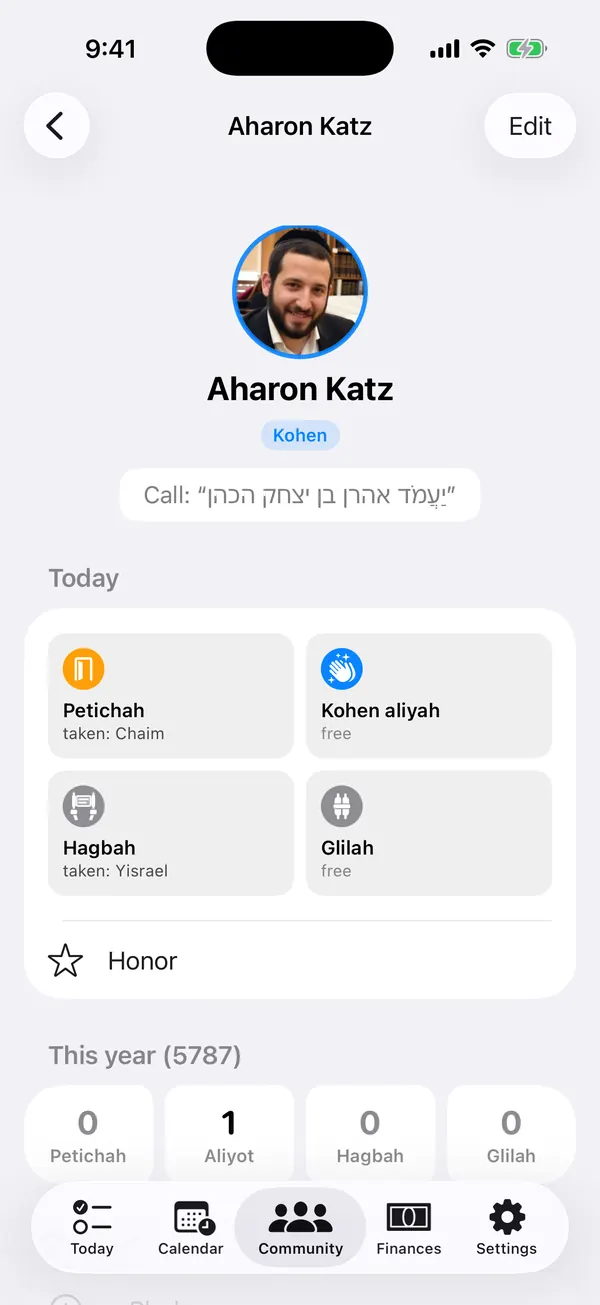
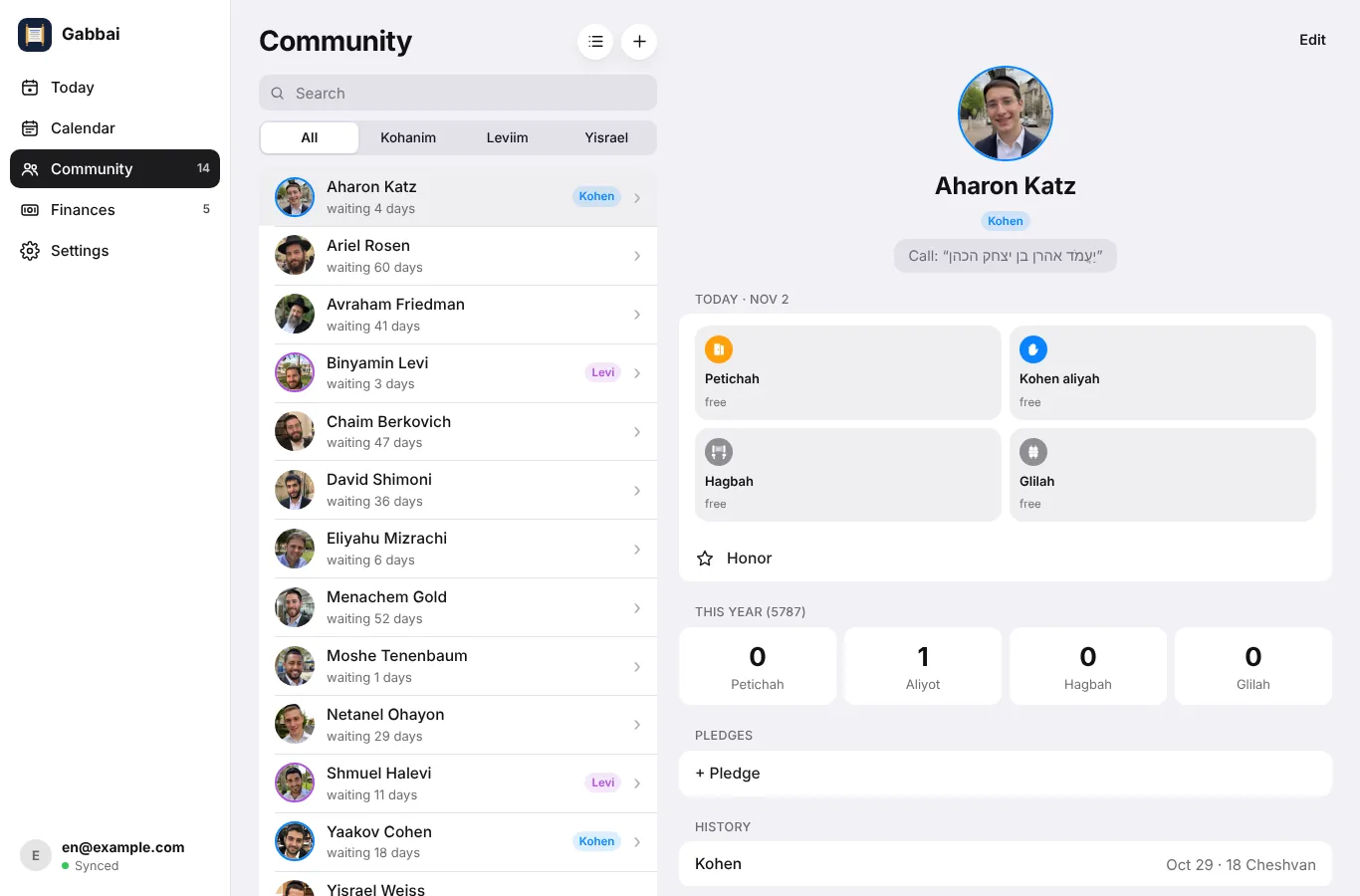
Names, Kohanim and Leviim, Hebrew call names, the history of honors and notes — on the phone and on the computer.

Easy to hand over

When a new gabbai takes over, the community passes to him as one file or through the same account.

Your data stays private

No ads and no tracking. Without an account everything is stored on your iPhone, with backups in your own iCloud Drive.

Features

How the app works on a weekday and on Shabbat.

A fair queue for every kibud
Queues

A fair queue for every kibud

Separate queues for Petichah, Kohen, Levi, the aliyot, Maftir, Hagbah and Glilah. Whoever has waited longest is first; after a kibud he moves to the end of the queue.

  • A kibud out of turn — for a yahrzeit, a bar mitzvah, a chatan or a guest — is saved with its reason
  • If there is no Kohen or no Levi, the app shows who is called instead
  • How many times each person was called up this year
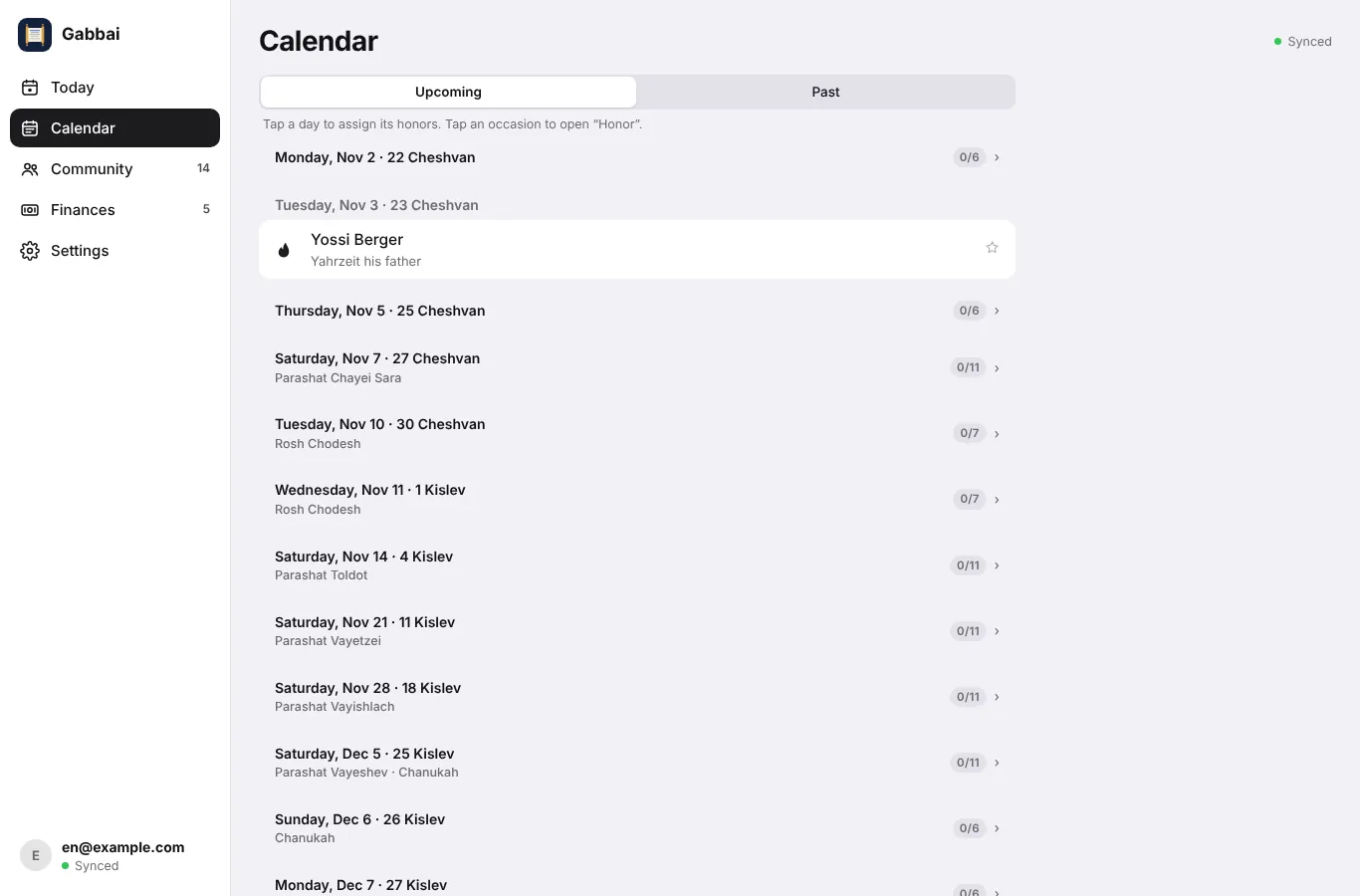
Reading days are already in the calendar
Calendar

Reading days are already in the calendar

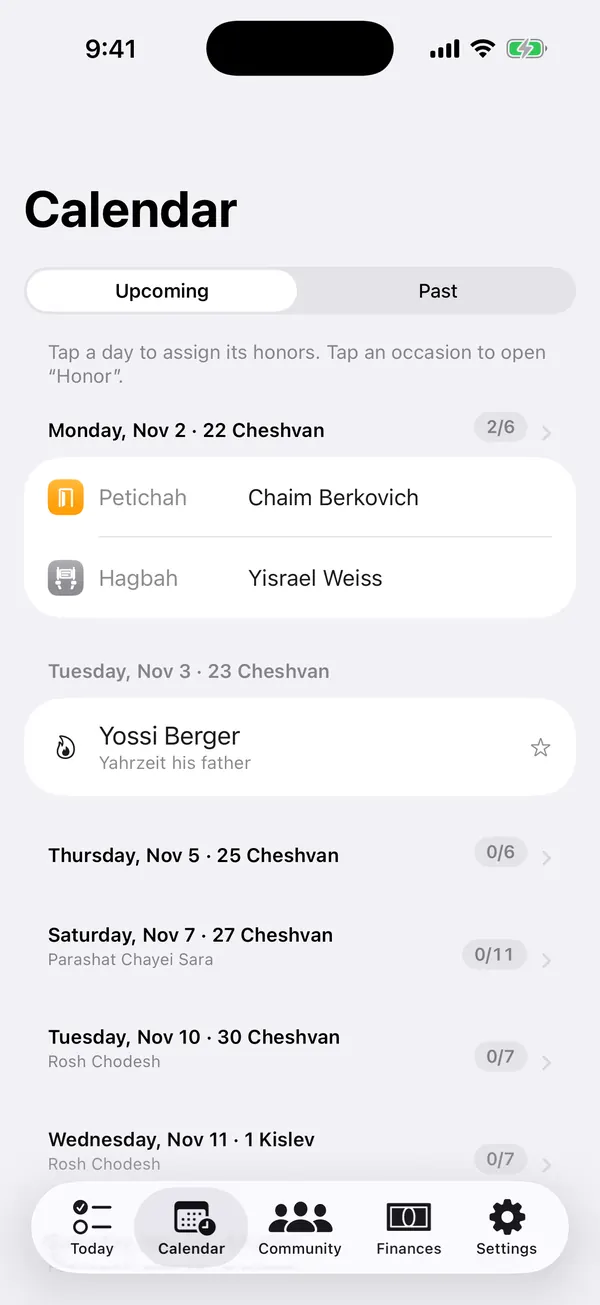
Mondays and Thursdays, Shabbat, Rosh Chodesh, fast days, Chanukah, Purim and Chol HaMoed are detected automatically.

  • Hebrew date and weekly parasha, Israel or Diaspora calendar
  • Share the day's plan as an image or text — with the chazan, the rabbi or for printing
  • A past day can be corrected, and the queues are recalculated
Yahrzeits and family simchas
Dates

Yahrzeits and family simchas

Yahrzeits by the Hebrew calendar, bar mitzvahs, weddings (Shabbat Chatan and Sheva Brachot) and the birth of a child.

  • They appear on the right day, with a suggested kibud
  • One tap gives the kibud, and the reason is recorded
  • Hebrew dates repeat every year by themselves
Who is here today
Weekday minyan

Who is here today

At a weekday minyan, mark who came. The app remembers the regulars and shows them first. A guest is added with one tap.

  • The Hebrew call name is ready: “יַעֲמֹד שמואל בן דוד הלוי”
  • Message anyone via WhatsApp, Telegram or SMS
  • Import from Contacts — Kohanim and Leviim are suggested by surname
Pledges, finances and Mi Sheberach
PROGabbai Pro

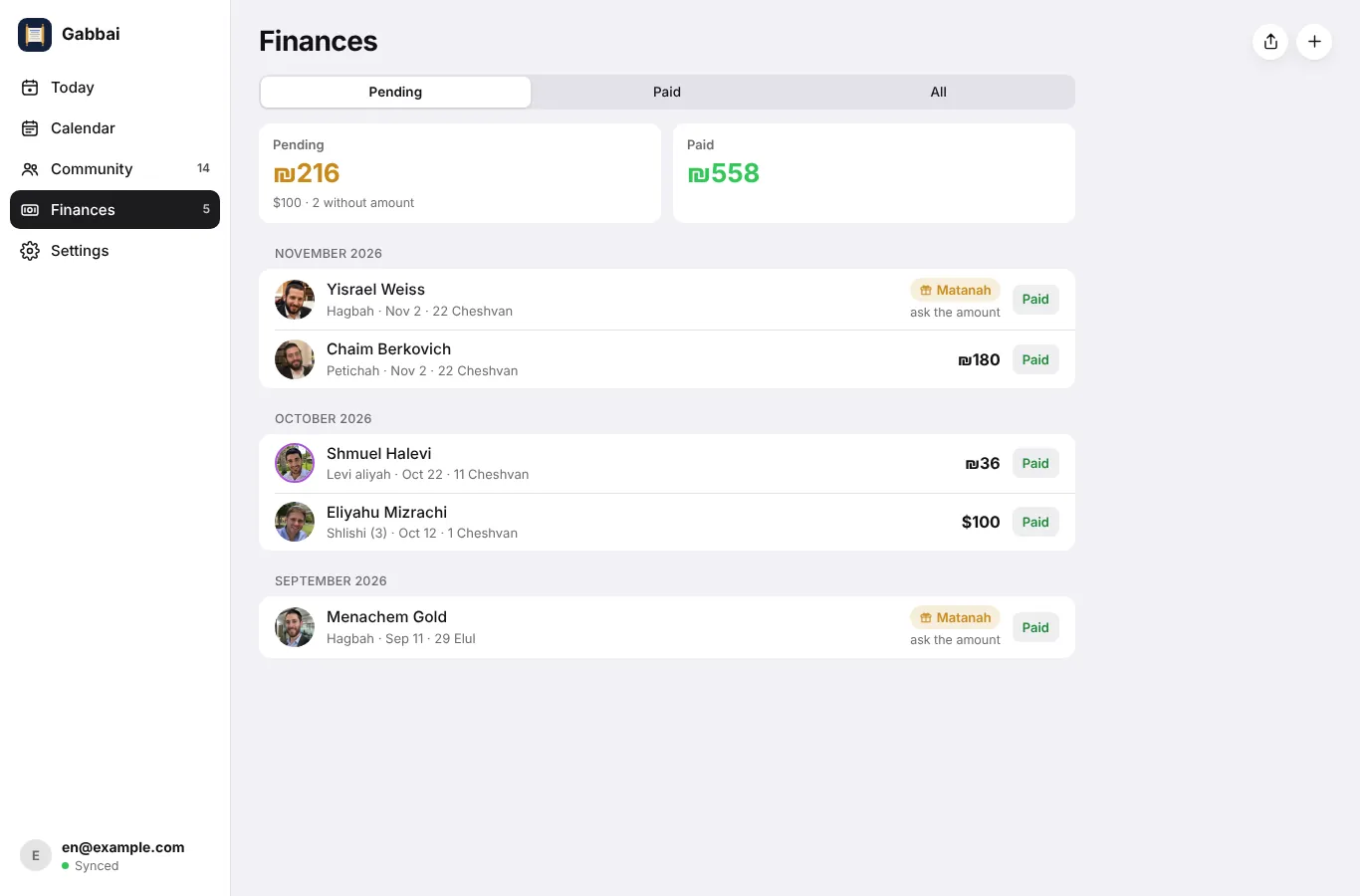
Pledges, finances and Mi Sheberach

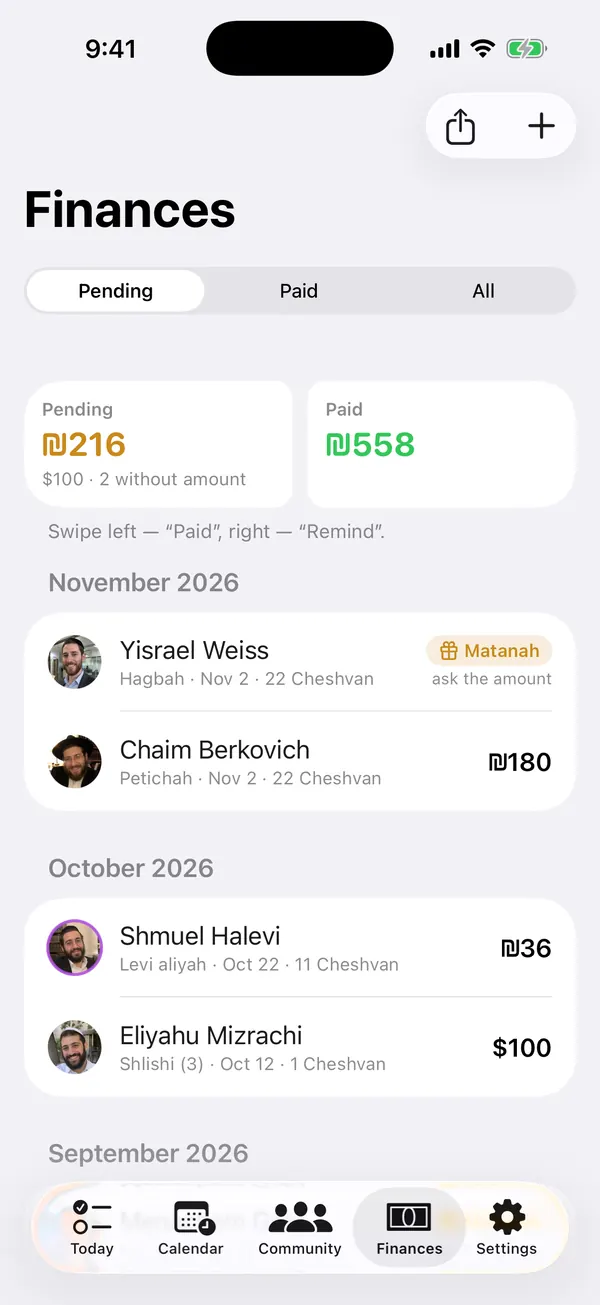
After a kibud you can record the pledge: a matanah without a sum, or an amount in ₪, $, €, ₽ or £.

  • Paid and unpaid at a glance, with polite reminders via WhatsApp or Telegram
  • A Finances tab with CSV export for the treasurer
  • A Mi Sheberach list for every reading day, ready for the chazan

Gabbai on a computer

Open gabbai.zivug.app in any browser; there is nothing to install. On a big screen it is easy to plan weeks ahead, correct the history and print the plan. Changes sync with your iPhone.

gabbai.zivug.app/app
TodayShabbat planCommunityCalendarFinances

Who is next for every kibud today, with the queue beside it.

  • Nothing to installWorks in any modern browser on a PC, Mac or tablet.
  • The same sign-inUse the same Apple or Google account as on your iPhone.
  • SyncedWhat you change on the computer appears on the phone, and back.
  • Part of Gabbai ProIncluded in the 60-day free trial.

Getting started

Setup takes a few minutes and needs no training.

  1. Add your communityType the names or import them from Contacts. Kohanim and Leviim are suggested by surname — just check them.
  2. Plan the next reading dayGabbai suggests who is next for each kibud. Change anything you like and share the plan.
  3. Sign in when you need moreSigning in with Apple or Google turns on sync and the web app. After the first sign-in, Gabbai Pro is free for 60 days.

Your community's data belongs to you

No ads, no trackingNo analytics and no third-party cookies. We never sell or share your data.
On your phone firstWithout an account everything stays on your iPhone, with automatic backups to your own iCloud Drive.
A server in GermanyWith an account, your community syncs through our own server in Germany (Hetzner, EU) over an encrypted connection.
Delete at any timeSettings → Delete account removes your account and its data from the server at once.

Pricing

Free for a small community. Gabbai Pro for larger communities and for work on a computer.

After you sign in with Apple or Google, Gabbai Pro is free for 60 days. No card needed.

Free
$0forever

For up to 25 people. No account needed.

  • A queue for every kibud
  • Calendar, yahrzeits and simchas
  • Share and print the day's plan
  • Backups to your iCloud Drive
Download free
Gabbai Pro
Monthlyfrom $6.99/ month
Better valueYearlyfrom $59.99/ year · about $5 a month

For larger communities and for gabbaim who also work on a computer.

  • Unlimited people
  • Pledges and finances, with export
  • The Mi Sheberach list
  • The web app on any computer
  • Sync between your devices
Try 60 days free

Gabbai Pro is bought in the iPhone app through the App Store, which may show the price in your local currency. You can manage or cancel it at any time in your Apple ID settings.

Questions

Do I need an account?

No. For up to 25 people Gabbai works without an account: everything stays on your iPhone, with automatic backups to your own iCloud Drive. Sign in only if you want sync, the web app or Gabbai Pro.

What does the 60-day trial include?

Everything in Gabbai Pro: unlimited people, pledges and finances, the Mi Sheberach list, the web app and sync. It starts when you first sign in with Apple or Google and needs no card; nothing is charged automatically. To keep Pro afterwards, subscribe in the iPhone app.

How much is Gabbai Pro?

From $6.99 a month or $59.99 a year, through the App Store, which may show the price in your local currency. You can cancel at any time in your Apple ID settings.

Can I use it on a computer?

Yes. Open gabbai.zivug.app/app in any browser and sign in with the same Apple or Google account. The web app is part of Gabbai Pro and is included in the trial.

Does it fit my nusach and my calendar?

Yes. Choose Ashkenaz, Sefard or Edot HaMizrach and the Israel or Diaspora calendar; the reading days, the parasha and the place of Hagbah follow.

Do I need the phone on Shabbat?

No. Plan the day during the week and share it with the chazan as an image or text, or print it. On Shabbat you simply follow the plan.

Where is my data, and who can see it?

Without an account, only on your iPhone and in your iCloud Drive. With an account it also syncs through our server in Germany over an encrypted connection. No ads, no tracking, no selling of data. You can delete your account in Settings at any time.

Is there an Android app?

Not at the moment. The web app works in the browser on any phone or computer and is part of Gabbai Pro.

A new gabbai is taking over. How do I hand over?

Export the community to one file and send it to him; names, queues and history move with it. Or sign in to the same account on his device.

Try Gabbai in your community

Free for up to 25 people. After you sign in, 60 days of Gabbai Pro — no card needed.